 MKCad
MKCadCourses · AutoCAD Plant 3D in Practice
Foundations
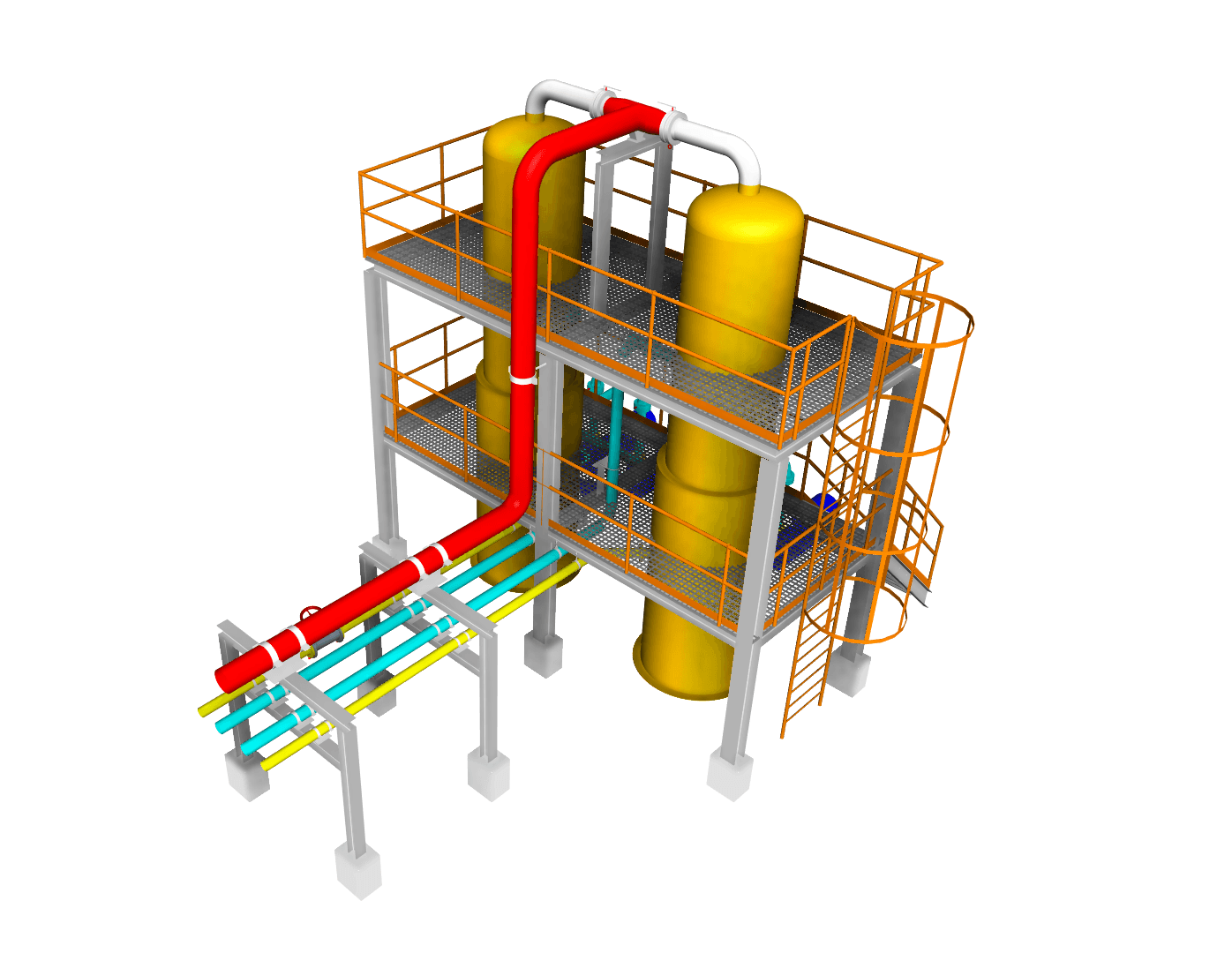
Ten hours of video across fifteen modules. You build one piping project from the first spec through to issued isometrics, and come out able to run a Plant 3D job end to end on your own.
279 EUR
Enrolment opens October 2026
- Length
- 10 hours
- Modules
- 15
- Format
- Self-paced video
- Downloads
- Project files
- Certificate
- Yes
- Access
- Lifetime
A course built on practice.
Why it existsI started from zero. I knew a program like this existed, but I only learned it because a project forced me to.
So I learned Plant 3D the slow way: trial and error, digging through forums, reading guides, hunting for the answer to one specific problem, and testing ways of working until something held up on a real job.
More projects came, then training that let me organise what I'd picked up. Five years of daily use later, this course is all of it in one place.
When I was learning, the information was scattered — one answer on a forum, another in the documentation, another in a video, most of it found the hard way. It took months to assemble.
That's the reason this course exists: to save you those months and give you a clear path from the basics to working on your own.
And what I want to show you isn't a feature list. It's how I organise a project, how I split up models, what order I work in, and what I watch for while I do it — the workflow I actually use.
Who it's for.
Foundations levelYou're just starting out with AutoCAD Plant 3D.
You know the basics, but you don't yet feel confident working on your own.
You picked things up through trial and error and want that knowledge organised.
You want to learn the workflow of a real industrial project, step by step.
By the end, you can navigate a Plant 3D project on your own and use the tools you need for everyday work — a foundation you can build advanced knowledge on top of.
One project, start to finish.
The syllabusThe modules connect. We build one shared project across the whole course and keep using what we made in earlier lessons, so it's worth watching them in order the first time through.
Getting set up
- 01Introduction
- 02Project setup
Building the model
- 03Modelling pipe runs
- 04Valves and inline components
- 05Pipe supports
- 06Equipment
- 07Steel structure
- 08Preparing the process model
Data and specs
- 09Data Manager
- 10Spec Editor
Documentation and handover
- 11Isometrics
- 12Orthos
- 13Report Creator
- 14Presenting the 3D model
- 15Wrap-up
Be clear about this
What this course doesn't cover.
This isn't a course on designing process installations. It's about operating AutoCAD Plant 3D and using it practically while you design — I'm assuming you're building the process engineering knowledge in parallel, in your own specialisation.
- Sizing and hydraulic calculations
- Pipe strength and stress analysis
- Process technology and P&ID engineering
- Anything that belongs to a process designer, not to the software

Your instructor
Michał Kostrzewa
Mechanical engineer. For about five years I've used AutoCAD Plant 3D every day on real industrial projects across Europe and beyond, specialising in the sugar industry, with work also in fuel and power generation.
Day to day I use it to design process installations. In this course I'm handing over the working method behind that, not a walkthrough of the menus.
Before you enrol.
QuestionsDo I need AutoCAD Plant 3D installed?
Yes. The course follows the software step by step, so you'll want it open next to the videos. Versions 2024 to 2027 are covered.
Do I need previous Plant 3D experience?
No. This is the foundations level and it starts from zero. If you already know the basics, it will mostly serve to organise what you picked up by trial and error.
Is it live or self-paced?
Self-paced video, with lifetime access. It's built to be something you come back to later while working on your own projects.
Can I skip modules?
You can, but the first time through it's better not to. We build one project across the course and later modules use what earlier ones produced.
Do I get the project files?
Yes. The whole model we build across the course is downloadable, so you can open any stage and compare it with your own work. You also get a reference sheet of the Plant 3D commands worth knowing.
Is there a certificate?
Yes — a certificate of completion issued in your name once you finish the course.
Does it teach process design?
No. It teaches the software and the workflow around it.
Launching October 2026
Let's build your foundation in Plant 3D.
If you want to understand the software, move through a project efficiently, and stop guessing — this is where to start.
Enrolment opens in October 2026, at 279 EUR. Leave your email and you'll hear the day it does.